Web app · Product design
Kaku — Tiny Editor
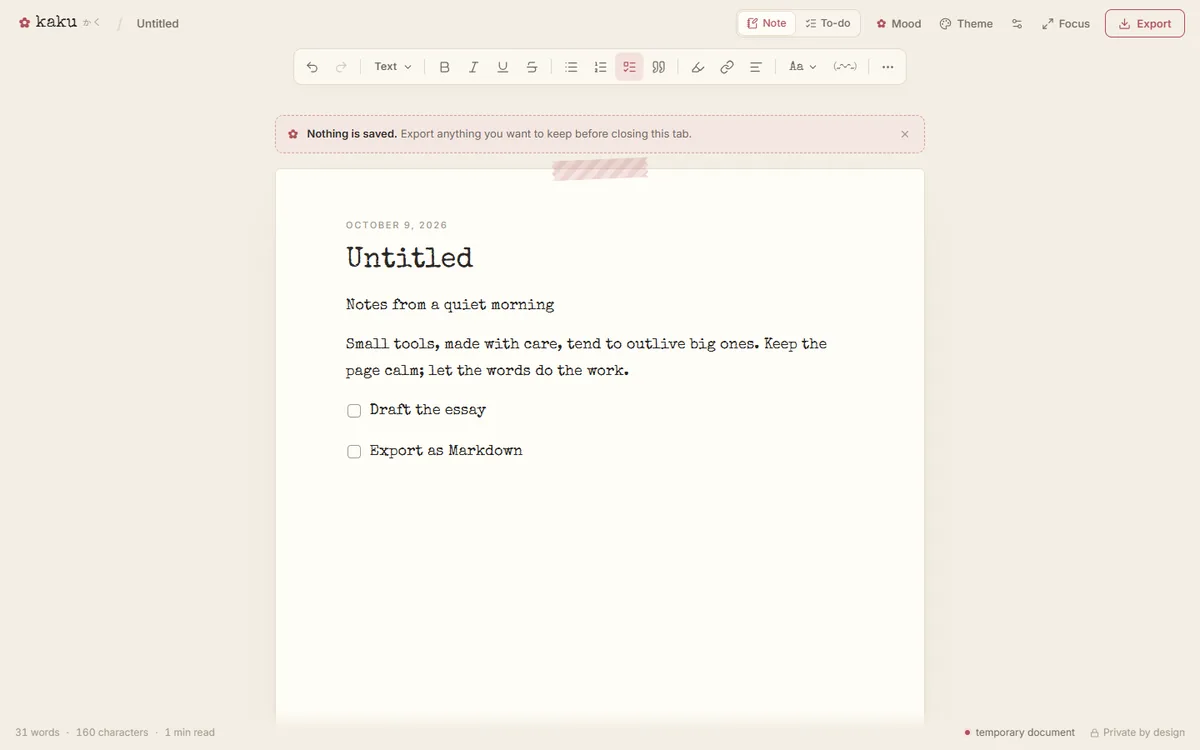
Kaku (書く, “to write”) is somewhere between a notepad, a minimal rich-text editor, Japanese stationery and a retro typewriter. Open, write, make it beautiful, export, leave.
- Type
- Static web application
- Stack
- React 19 · TypeScript · Vite · Tiptap 3 · Tailwind CSS 4
- Tested with
- Vitest and Playwright (desktop and mobile)
- License
- MIT
Overview
Kaku is a single continuous sheet of paper with a quiet toolbar. There are no accounts and no cloud storage. When the tab closes, the page is blank again, and that is deliberate.
Motivation
Most writing tools want you to sign in, sync and keep everything forever. Kaku is for the opposite case: a short piece you want to write well, format nicely and take with you as a file, without leaving a copy anywhere.
Architecture
- Memory only. The document lives in the tab’s memory and is never written to
localStorage,sessionStorage, IndexedDB or cookies. Preferences reset with the tab too. If there is text on the page, the browser asks before you leave. - Local export. Markdown, plain text, standalone HTML (with a restrictive Content-Security-Policy) and print-to-PDF are generated in the browser and downloaded through
BlobURLs. To-do lists can also be exported as a 1080px PNG card drawn with the Canvas API. - No third-party requests. Fonts are bundled through Fontsource and loaded only when you pick them, and there are no analytics.
Implementation
- A rich-text editor built on Tiptap and ProseMirror: headings, lists, checklists, quotes, code, links, alignment, highlighter and ink colours, plus a floating toolbar on selection, a / slash menu and a command palette.
- Eight themes (Typewriter, Sakura, Matcha, Seoul Morning, Peach Milk, Lavender Study, Tokyo Night and AR Console), nine curated fonts including Noto Sans JP and KR, and five paper styles.
- Writing aids: focus and typewriter modes, a word goal and a writing timer, and live counts that handle Japanese and Korean text.
- Optional typewriter sounds synthesized at runtime, with no audio files. Decorative effects are CSS-driven and respect
prefers-reduced-motion.
How it’s verified
Unit tests cover the exporters, word counts, file names and URLs. Playwright browser tests cover formatting, export and printing, and check that nothing survives a reload or reaches browser storage. The deploy workflow runs both suites before publishing to GitHub Pages.